How to Whiten or Cut Out Product Image Backgrounds for Amazon, Rakuten & Mercari
Updated: July 31, 2026
What product image background editing means
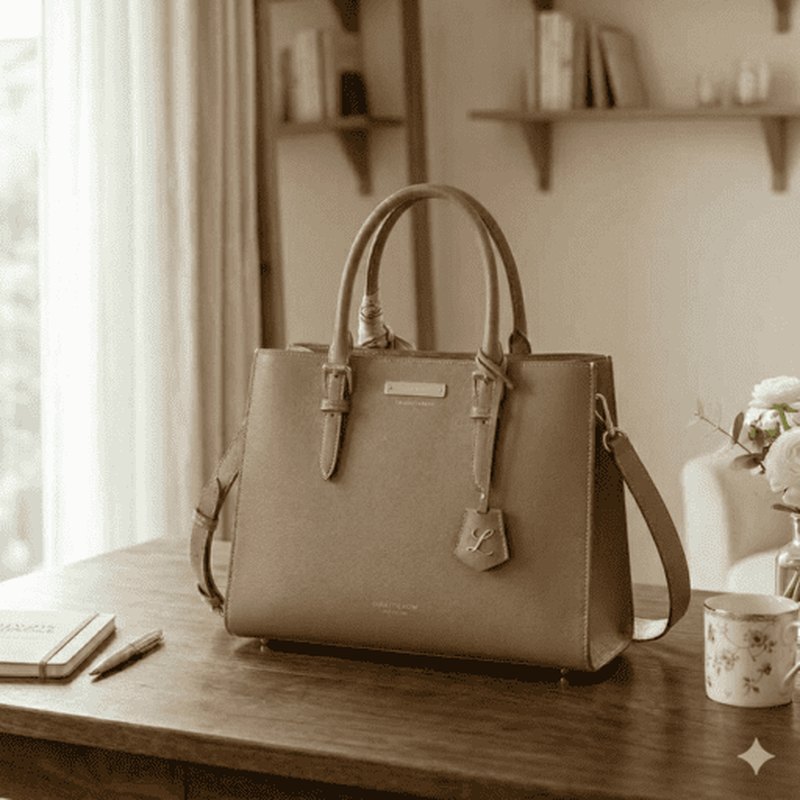
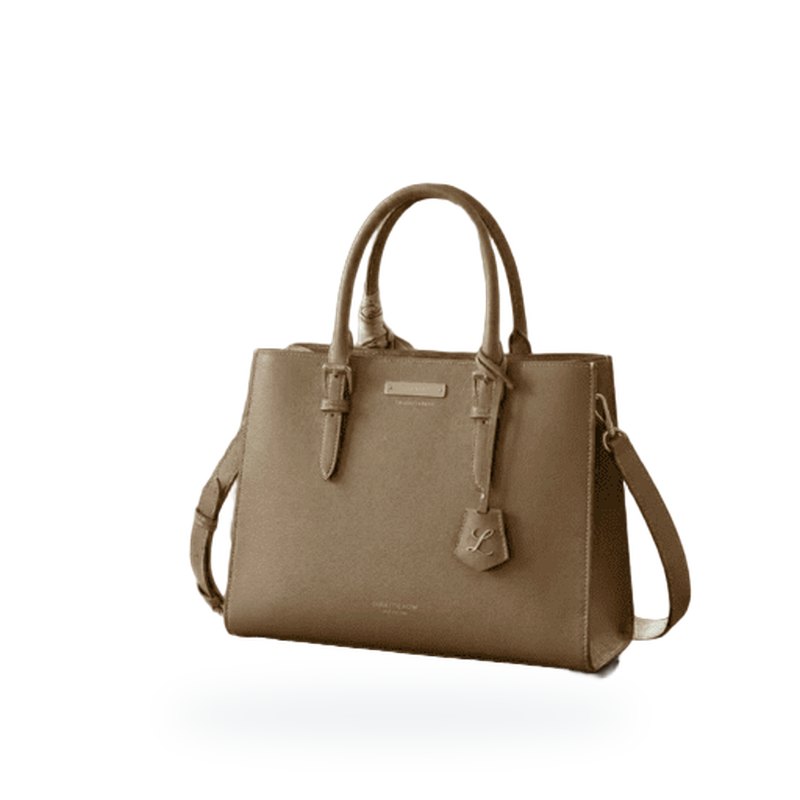
Editing a product image background means keeping only the item you're selling, cutting out the background, and replacing it with a white or transparent background. On marketplaces and flea-market apps such as Amazon, Rakuten, and Mercari, how clear a product image is has a big effect on sales. Amazon in particular recommends a pure white background for main images.
Photos taken at home tend to capture a desk, floor, or everyday clutter in the background. Removing the background with AI to make it white or transparent makes the product stand out and gives it a clean, professional-looking finish.
Benefits of a clean background
The biggest benefit of a white or transparent background is that the product stands out as the star, which helps drive purchase intent. In search results and category lists, many products line up as thumbnails, so images with a clean background catch the eye more easily and can improve click-through rates.
A transparent background is also versatile. You can place it on a white banner, swap in a colored background for a sale, and more — cut it out once and reuse it across product pages, social ads, and flyers. Because you can roll it out to multiple channels without reshooting, it makes e-commerce operations more efficient.
Uses by marketplace
You can use white or transparent product images differently by channel: a white background for Amazon main images (where white is recommended), a clean white background to stand out among competitors on Rakuten or Yahoo! Shopping thumbnails, and a clutter-free, easy-to-read look for Mercari or Rakuma listings. As in the example below, tidying the background alone changes the impression.
Steps to edit the background with BackgroundCut
- Open the BackgroundCut homepage and drag and drop your product photo, or select the file to upload it.
- The AI automatically recognizes the product, cuts out the background, and makes it transparent. The result appears in seconds.
- Check the result in the preview. Make sure the product's outline is cleanly cut out.
- Download it as a transparent PNG. Use it as a transparent image, or add a white background to use it as a white-background main image for Amazon.
No app installation or sign-up is required, and you can use it from a browser on either your phone or computer. Each marketplace's image guidelines (background color, size, margins, etc.) can change, so always check the latest rules before listing.
Pricing
BackgroundCut is free to use. No sign-up is required, and you can make the background of up to 3 images transparent per day, so it's perfect for anyone who wants to try editing a product image.
Because it works right in your browser, there's no need to install an app or create an account. You can turn a product photo you just took into a listing-ready image right away.
If you have many listings and want to process more images, you can purchase credits to keep going. You only buy as many credits as you need, so nothing goes to waste.
The free tier is plenty for most needs, but you can purchase credits to handle more depending on your listing count and volume. Try it for free first and see how it works for you.
Summary
For Amazon, Rakuten, and Mercari product images, simply tidying the background to white or transparent makes the product stand out and helps drive clicks and purchases. Even home-shot photos look professional once you swap the background.
Once you cut out the background, you can use it as white, colored, or transparent to fit the purpose, and reuse the same image across multiple channels and social ads. Cutting down on reshoots is a big advantage.
With BackgroundCut, no app or sign-up is needed, and you can cleanly cut out a product's background in seconds from your browser. Try it for free first.