How to Create Product Images for E-commerce | Background Editing Guide
Last updated: June 7, 2026
What Are E-commerce Product Images and Background Editing
Product images are the photos used to showcase items on an online store. Because shoppers cannot pick up the product in person, these images make up nearly all of the information a customer uses to decide whether to buy. The quality of your images translates directly into sales.
Background editing is the process of removing distracting backgrounds from a photo so the product itself stands out. The two most common techniques are making the background pure white and making it transparent (PNG). Both are essential for presenting a product cleanly and attractively.
Why Background Editing Drives Sales
A cluttered background makes a product look cheap and full of everyday clutter. A clean white background, on the other hand, makes the product pop and conveys a sense of trust and quality. When your image sits next to competitors in a listing grid, a consistent background can make a major difference in click-through rate.
On top of that, major marketplaces like Amazon and Rakuten require main images to have a pure white background as part of their listing rules. Background editing is not just about looks—it is a requirement for meeting listing policies and getting chosen in search results.
How to Edit Backgrounds for Product Images That Sell
There are two main approaches to background editing. One is cutting the product out by hand in tools like Photoshop, which allows fine control but takes several minutes per image—impractical for stores with large catalogs. The other is removing the background automatically with AI, which produces a precise cutout in just seconds.
The trick is to use white and transparent backgrounds for the right purpose. A white background suits main images on marketplaces, while a transparent PNG works best when layering products onto banners or landing pages. As shown below, simply removing the background can dramatically change how a product looks.

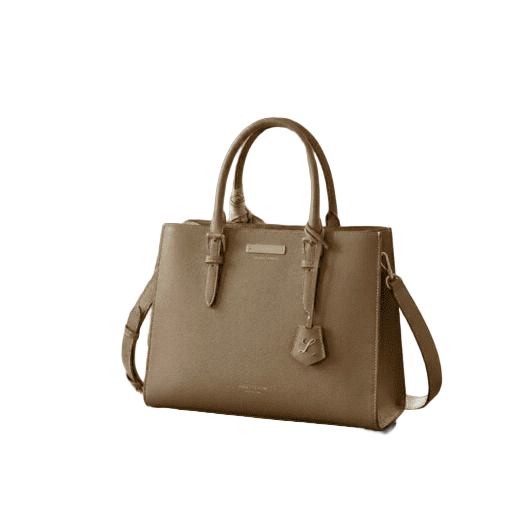
How to Edit Backgrounds with BackgroundCut
- Open the BackgroundCut page and upload your product image.
- The AI automatically detects the product and removes the background in seconds.
- Keep the background transparent, or change it to white or any color you prefer.
- Check the result, download the image, and add it to your online store.
No software installation or special skills are required. Everything runs in your browser, so you can edit backgrounds right after shooting—even from your smartphone.
Process Large Volumes of Images with Credits
Running an online store often means editing dozens or even hundreds of product images at once. BackgroundCut offers a credit-based system so you can use only what you need, without being locked into a monthly subscription.
One credit is used per image processed, and you can buy them in bulk whenever you need them—when adding new products or creating sale banners, for example. The benefit is that you are far less likely to waste what you do not use.
Outsourcing cutouts to a designer can easily cost a few dollars per image, but automatic AI processing lowers the per-image cost dramatically. The more products you have, the greater the savings in both time and money.
We recommend trying it for free first to check the output quality, then deciding how many credits you need.
Summary
Product images are one of the most important factors that determine e-commerce sales. Simply cleaning up the background greatly improves how a product is perceived and helps you meet marketplace listing rules.
Manual cutouts deliver high quality but take enormous time for large catalogs. By adopting AI background editing, you get precise cutouts in seconds and can freely switch between white and transparent backgrounds.
With BackgroundCut, you can edit product image backgrounds easily right in your browser. The credit system lets you use only what you need, so try it for free today.